Fees

Fees and payments, without chasing anyone

You set up fees and due dates once, and Kindertap notifies families, reminds them of outstanding payments and records what comes in. You always know who is up to date and what is still to be collected.

Included in the Fees module1

Every fee planned, month by month

From the due dates console you schedule each family's fees for the whole year. You enter them in the web app or, if you calculate them in Excel, import the file with all the amounts.

  • Import of amounts from a file
  • Besides fees, services charged as provided
  • Each parent finds their own payments, with payment instructions and a courtesy copy of the invoices
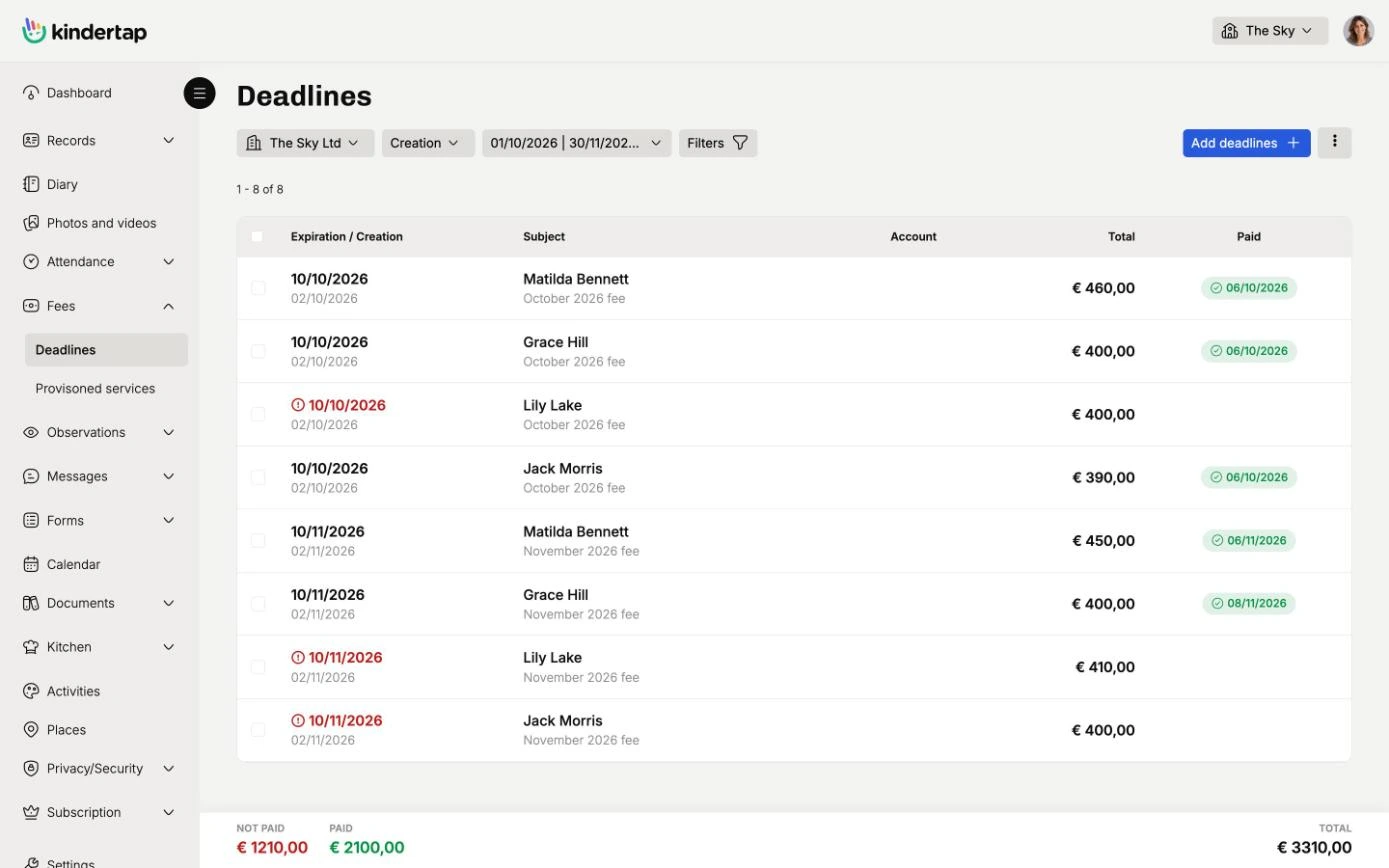
Kindertap fee due dates on the computer: list per child with amount, due date and payment status

Automatic reminders, punctual and discreet

For each fee you set the due date and Kindertap reminds the family regularly until the amount has been collected. No more awkward messages to write one by one.

  • Choose when to start, how often to send and with what wording
  • Sent through Kindertap Messages and by email
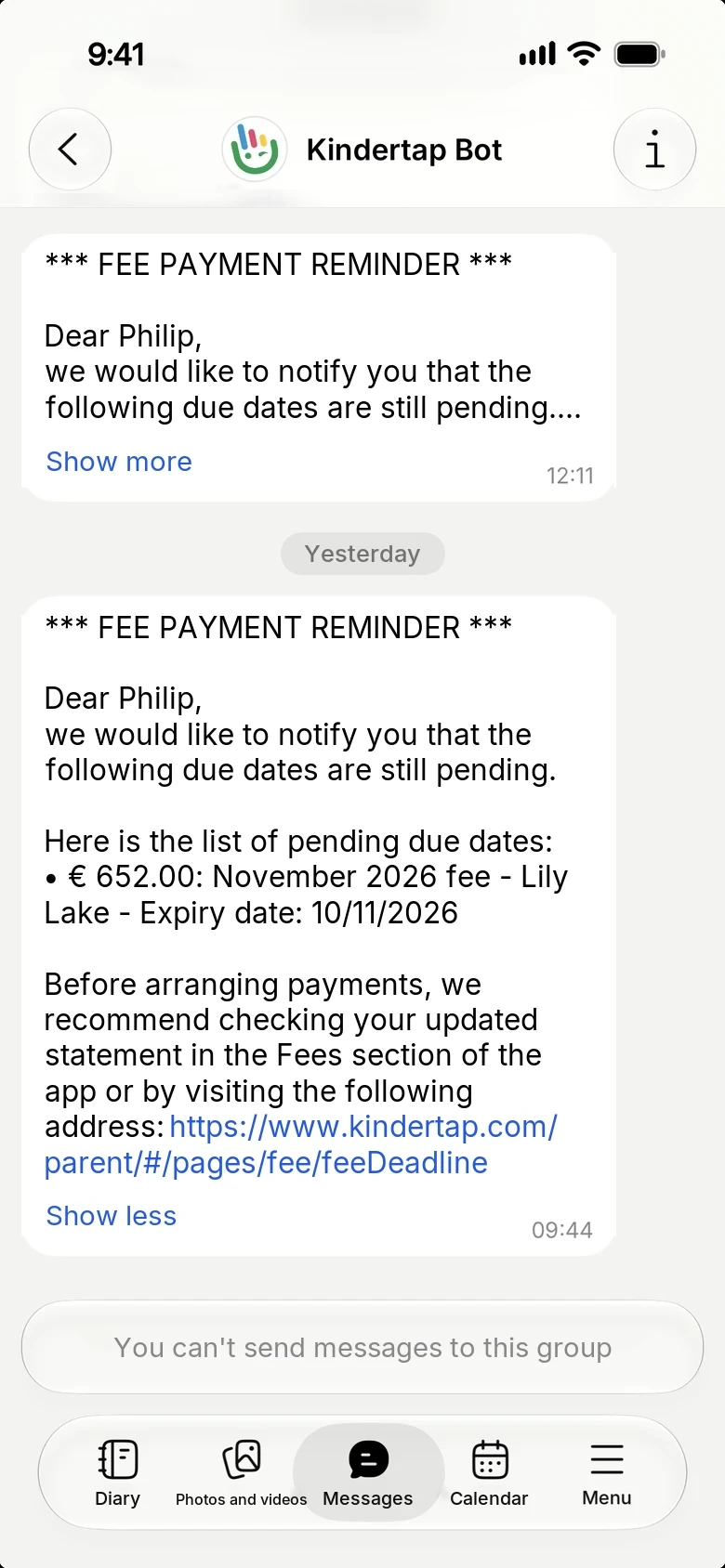
Automatic reminder in the parent app messages, listing the overdue fees with a link to pay them

Families pay from the app

With Kindertap Pay parents pay the fee directly in the app, by credit or debit card or by SEPA direct debit. When the payment goes through you get a notification and the payment is recorded automatically.

  • Card or SEPA direct debit, as the family prefers
  • Card data and transactions handled by Stripe
  • No manual reconciliation of payments
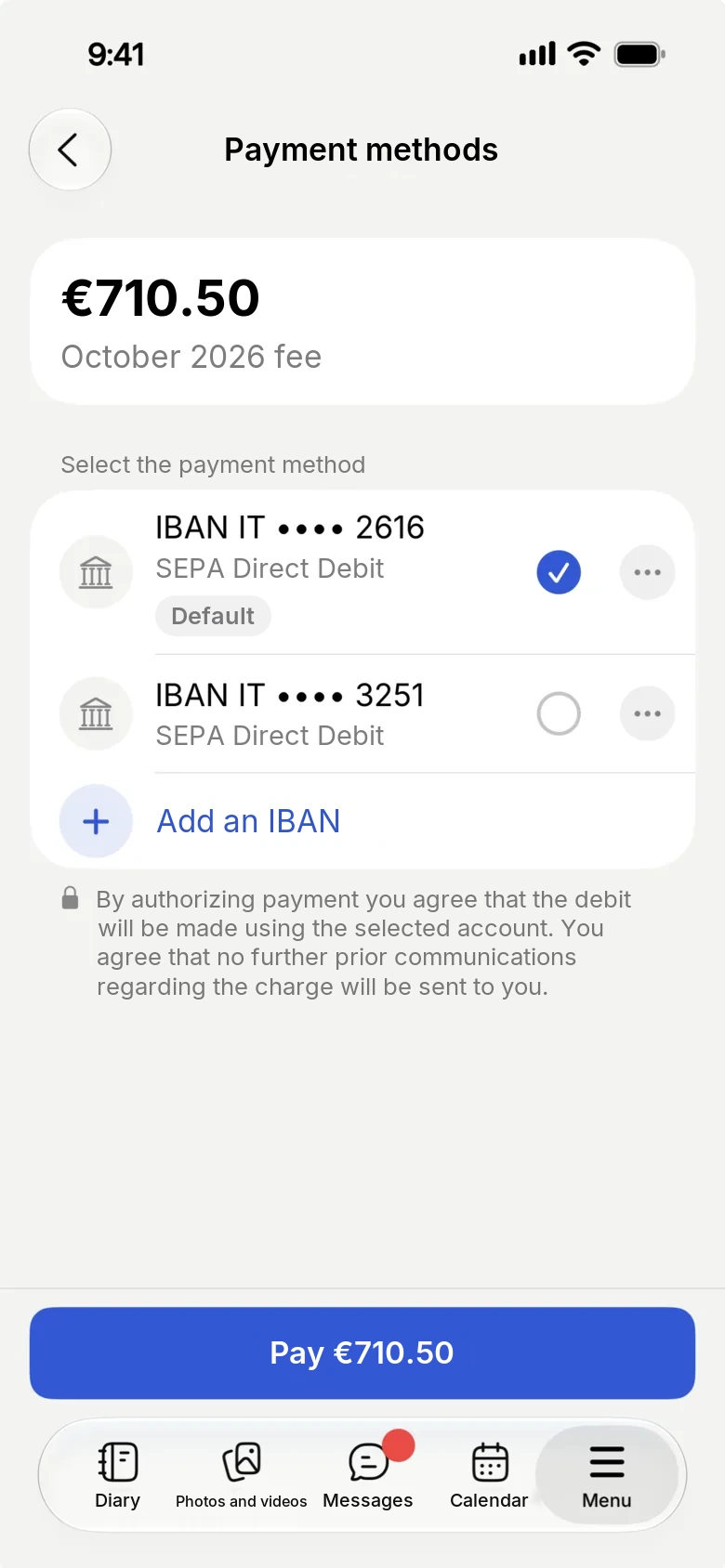
Kindertap parent app: paying the fee by SEPA direct debit from the chosen IBAN

Frequently asked questions

How do you plan fees with Kindertap?

From the due dates console you plan each family's fees for the whole year. You enter them in the web app or import an Excel file with all the amounts.

Can parents pay fees from the app?

Yes, with Kindertap Pay parents pay in the app by credit or debit card or by SEPA direct debit. Card data and transactions are handled by Stripe.

How do fee reminders work?

For each fee you set the due date and Kindertap reminds the family regularly, in the app's Messages and by email, until it's paid. You choose when to start, how often to send them and the wording.

Do payments need to be reconciled by hand?

No. When an in-app payment succeeds you get a notification and the payment is recorded automatically: you always know who has paid and what is still due.

1. The features presented in this page are available in the Premium plan only if you activate the relevant module. Fees. For more information, check the features comparative table of the different plans.

Try Kindertap at your facility

Create your account in minutes: the Free plan never expires.

Accessibility and appearance

Customize the site display

Theme

Follows the light or dark theme set on your device.

Text size
Turns off animations and transition effects.
Already enabled from your device settings.
Stronger secondary text, borders, and separators.
Already enabled from your device settings.
Makes links recognizable even without color.
Uses a typeface designed to better distinguish similar letters.

Preferences are saved in this browser and apply only to this device.