Features

Everything your school needs, one module at a time

Start with the features included in every plan and add the modules you need: diary, attendance, fees and observations work together, on the web app and the mobile app.

Diaries

A diary that brings school and family together, every day

Educators update the diary during the day, straight from the app: meals, naps, changes and activities are recorded in a few taps, even for several children at once and even without a connection. No more forms to fill in at the end of the shift.

Families receive the story of the day in the app, with photos and videos, and know how it went before pick-up. It's a daily dialogue that strengthens the educational partnership between school and family and makes parents feel part of their child's day.

Discover the Diaries module
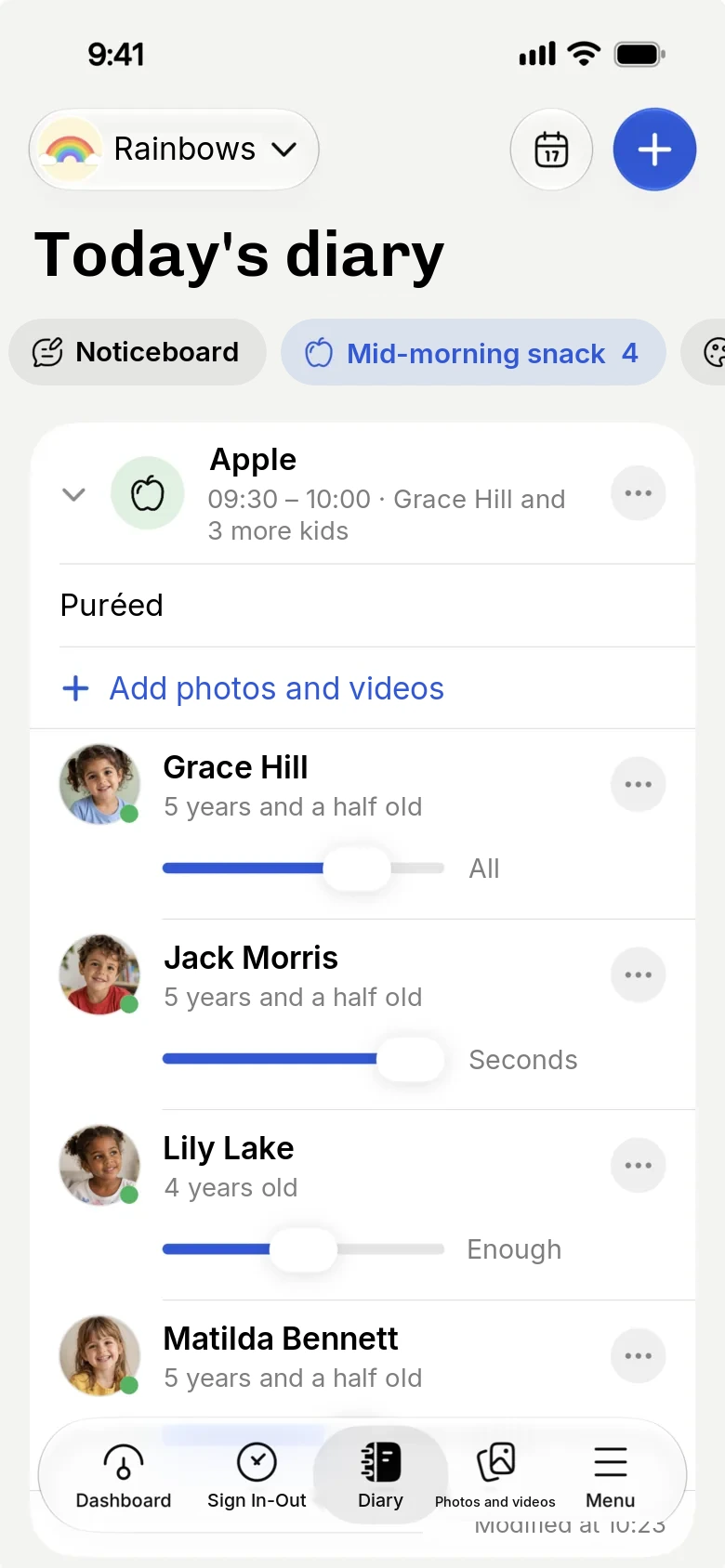
Kindertap staff app: today's class diary, with the morning snack and how much each child ate
Sign in-out

Attendance and absences, without sign-in sheets

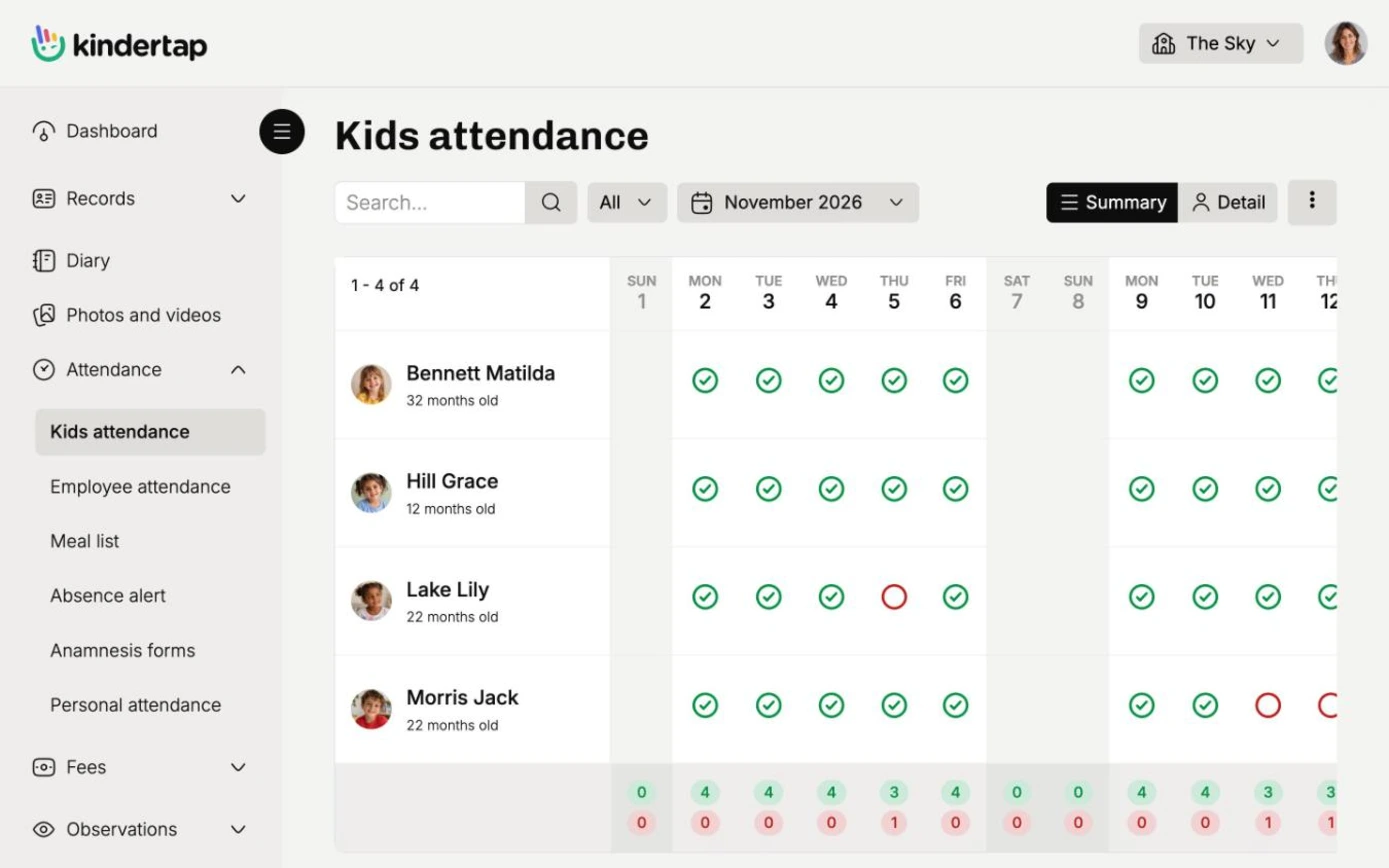
Arrivals and departures are recorded from the app, with a PIN or with the card and the Kindertap reader at the entrance. No sheets to sign: the attendance register is always up to date and gives you reports and the kitchen meal list without copying anything.

Families report absences and delays directly in the app, so you know in advance who is coming. And if a child doesn't arrive and nobody has reported the absence, the absence alert sends a warning right away: real help to prevent children from being unintentionally left in cars.

Discover the Sign in-out module
Kindertap attendance register on the computer: monthly grid with each child's attendance and absences
Fees

Fees and payments, without chasing anyone

Set up fees and due dates once, and Kindertap takes care of the rest: it sends families reminders and payment requests automatically, so you no longer have to chase anyone.

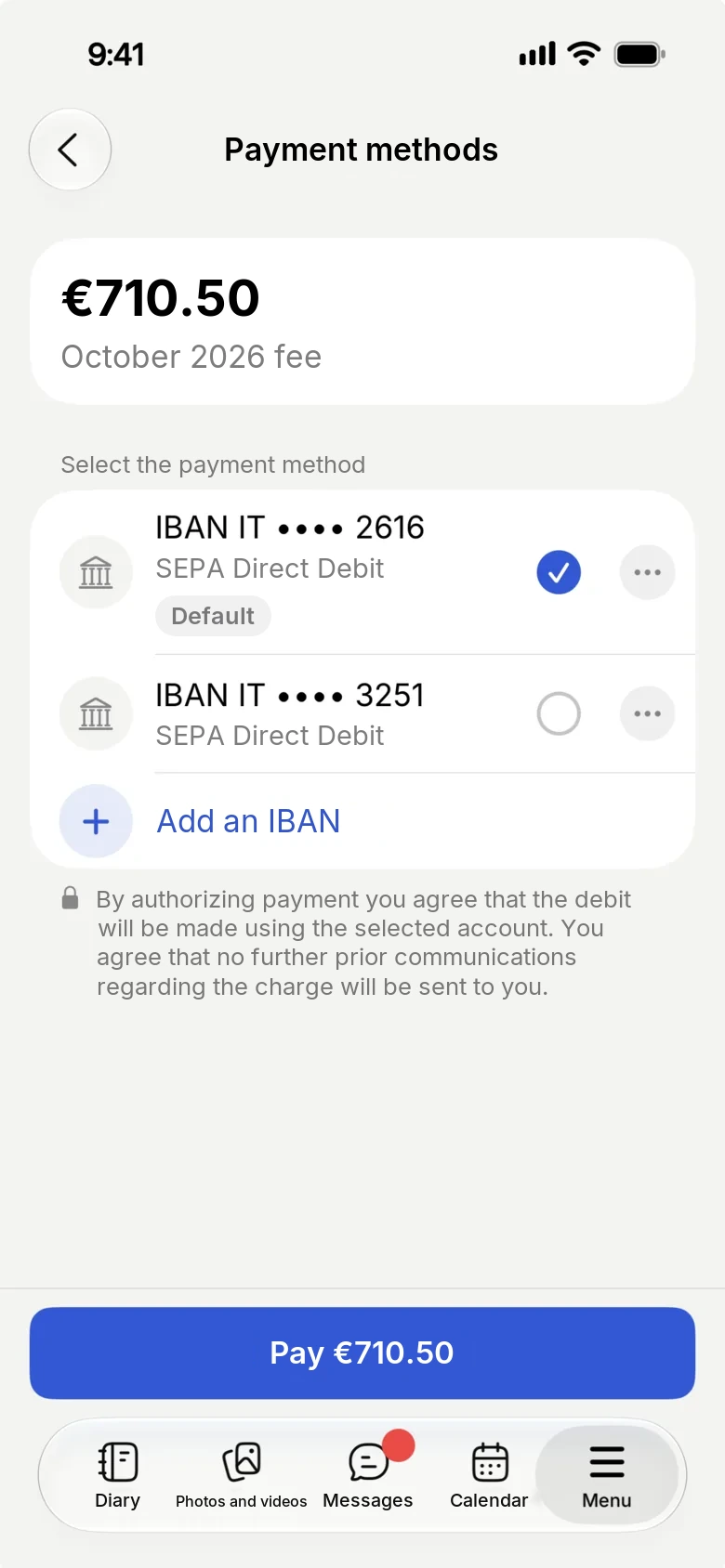
Parents pay directly in the app, by card or SEPA direct debit through Kindertap Pay, and you always know who is up to date and what is still to be collected, without spreadsheets.

Discover the Fees module
Kindertap parent app: paying the October fee by SEPA direct debit
Observations

Observations that tell the story of each child's growth

With observations you document each child's progress and skills using customisable grids, notes, photos and videos, collected as things happen.

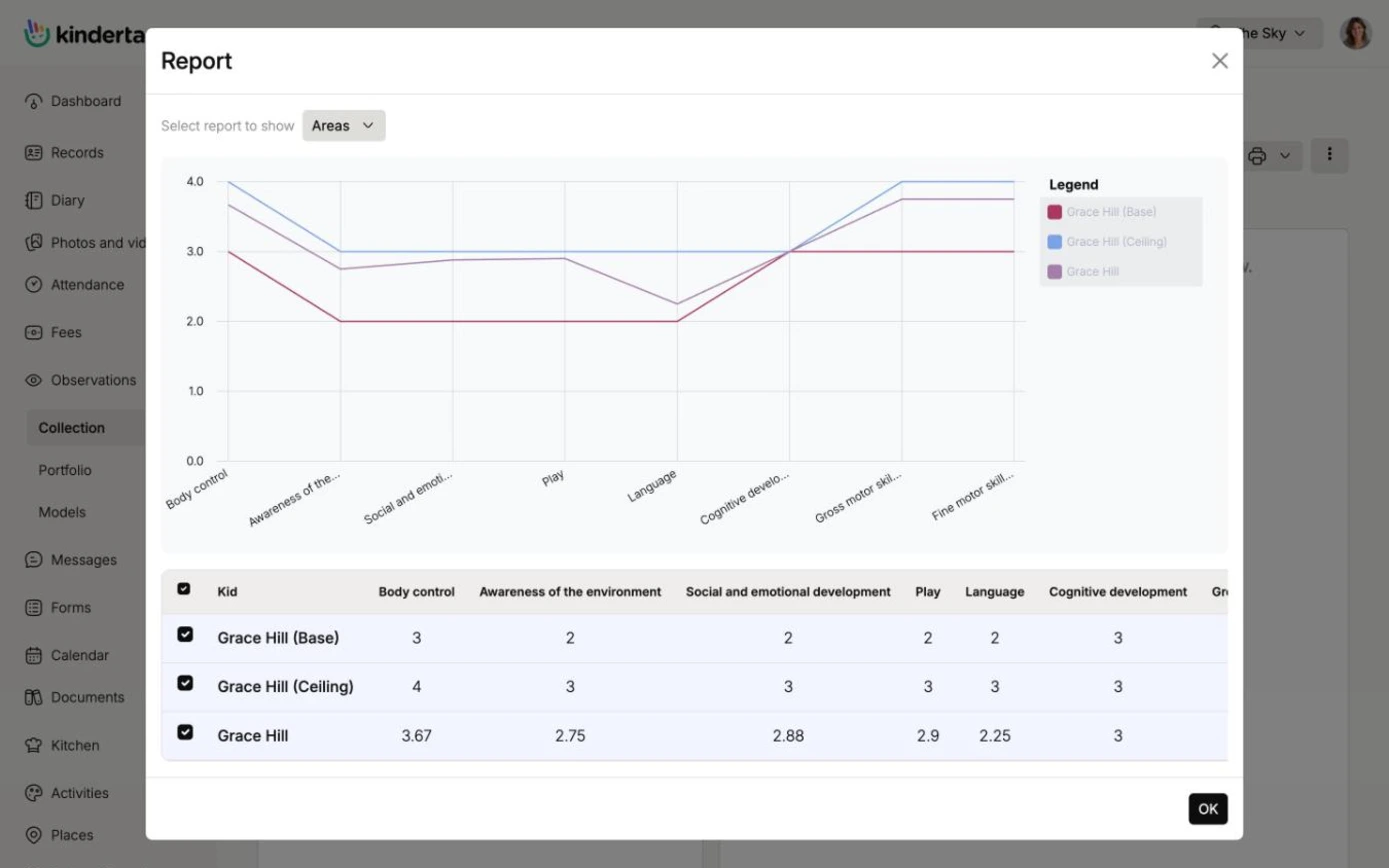
Everything stays organised by child and period, ready for meetings with families and for team work. Charts and reports help you read development over time and plan activities.

Discover the Observations module
Kindertap observation report on the computer: chart by area and scores for each child

On every device, with your data safe

ISO 9001 ISO/IEC 27001
  • Web app and apps for iOS and Android, for staff and families.
  • Data on servers in the European Union, processed in line with the GDPR.
  • Management system certified ISO 9001 and ISO/IEC 27001.

Frequently asked questions

Do I have to activate all the modules?

No. General features such as records, messages, photos and videos, forms and calendars are included in every plan. You activate diaries, attendance, fees and observations when you need them, even one at a time.

How do the modules work together?

They share the same data: attendance recorded in the app produces the meal list for the kitchen, photos you take end up in the diary and in observations, and families find the diary, messages and fees in the same app.

Do families have to install an app?

They can use the app for iOS and Android or the browser. Either way they receive the diary, photos and messages, report absences and pay fees, if the school uses the corresponding modules.

Where is the data of children and families stored?

On servers in the European Union, processed in line with the GDPR. Kindertap's management system is certified ISO 9001 and ISO/IEC 27001, and photos and videos are shared only with the families who should see them.

Try Kindertap at your facility

Create your account in minutes: the Free plan never expires.

Accessibility and appearance

Customize the site display

Theme

Follows the light or dark theme set on your device.

Text size
Turns off animations and transition effects.
Already enabled from your device settings.
Stronger secondary text, borders, and separators.
Already enabled from your device settings.
Makes links recognizable even without color.
Uses a typeface designed to better distinguish similar letters.

Preferences are saved in this browser and apply only to this device.